Actions are the doers of your rule. They allow you to automate tasks and make changes within your site, and can perform many tasks, such as editing an issue, commenting on an issue, or triggering a Jenkins build:
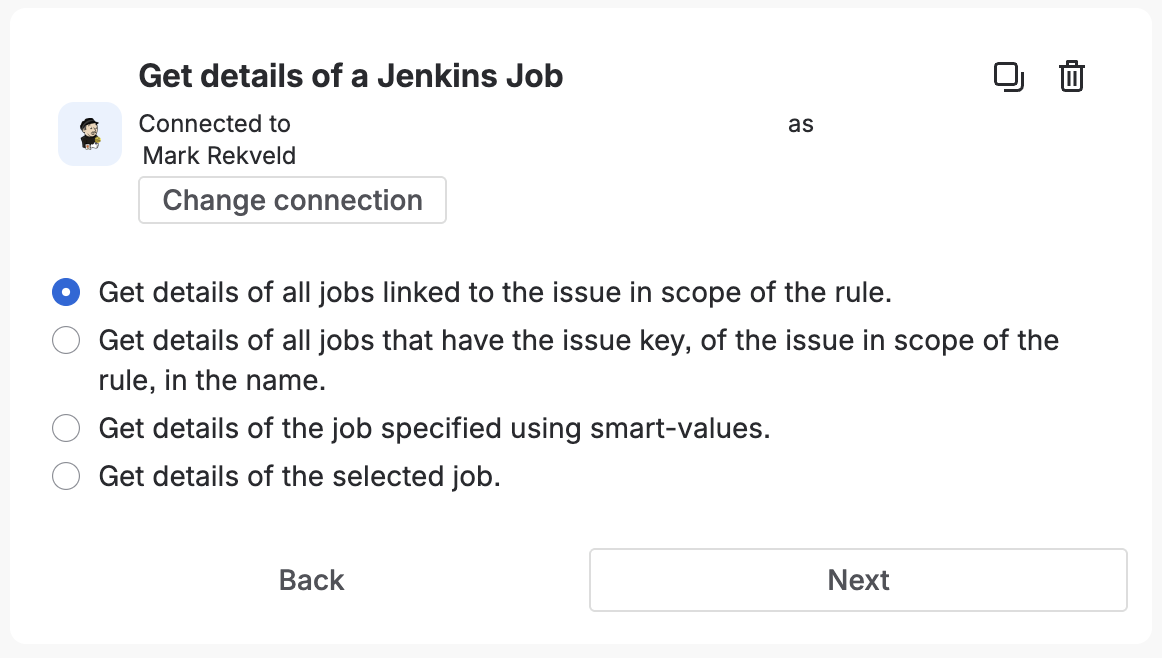
Get details of a Jenkins Job
Get the details of one or more Jenkins jobs. You can get the details of a specific job, use smart-values to look up the job(s), or jobs related to the issue in the scope of the rule.
- Provides smart values: Yes
Smart Values
The {{fetchedJenkinsJobList.payload.body}} smart value is a reference to a list of jobs that match the query, and providees the
following details:
{{job.id}} |
Prints the ID of the job. |
{{job.name}} |
Prints the name of the job. |
{{job.fullName}} |
Prints the full name of the job. |
{{job.displayName}} |
Prints the display name of the job. |
{{job.description}} |
Prints the description of the job. |
{{job.displayUrl}} |
Prints the URL of the job that can be used by users. |
{{job.lastBuild}} |
Prints the number of the last known build. |
{{job.oldestBuild}} |
Prints the number of the first known build. |
{{job.linked}} |
Boolean value that indicates that the job is enabled for build-to-issue indexing. |
{{job.deleted}} |
Boolean value that indicates that the job is marked as deleted in the app. |
{{job.site.id}} |
Prints the ID of the site. |
{{job.site.name}} |
Prints the name of the site. |
{{job.site.type}} |
Prints the type of the site. |
{{job.site.connectionType}} |
Prints the connection type of the site. |
{{job.site.displayUrl}} |
Prints the URL of the site that can be used by users. |
{{job.site.enabld}} |
Boolean value that indicates the site is enable for processing. |
{{job.site.registrationComplete}} |
Boolean value that indicates the site registration processes is complete. |
{{job.site.jenkinsPluginInstalled}} |
Boolean value that indicates the site has the counterpart plugin installed. |
{{job.site.autoLinkNewJobs}} |
Boolean value that indicates the site will automatically enable new jobs. |
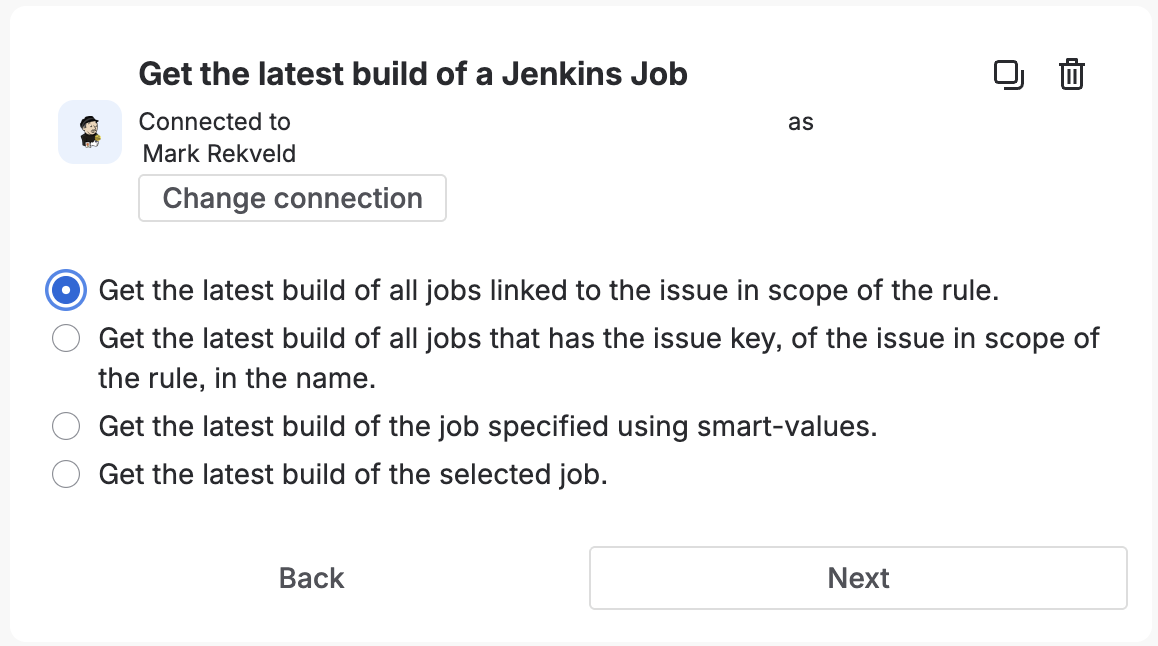
Get the latest build of a Jenkins Job
Get the latest build of one or more Jenkins jobs. You can get the latest build of a specific job, use smart-values to look up the job(s), or jobs related to the issue in the scope of the rule.
- Provides smart values: Yes
Smart Values
The {{fetchedJenkinsJobList.payload.body}} smart value is a reference to a list of builds that match the query, and providees the
following details:
{{build.id}} |
Prints the ID of the build. |
{{build.number}} |
Prints the build number. |
{{build.displayName}} |
Prints the display name of the build, defaults to {{build.job.displayName}} #{{build.number}} |
{{build.displayUrl}} |
Prints the URL of the build that can be used by users. |
{{build.description}} |
Prints the description of the build. |
{{build.cause}} |
Prints the cause of the build. |
{{build.result}} |
References the result type of the build. Known results include, from best to worst: SUCCESS, UNSTABLE, FAILURE, NOT_BUILT, ABORTED, UNKNOWN. |
{{build.builtOn}} |
Prints the name of the node where the build was executed on. |
{{build.duration}} |
Prints the duration of the build in milliseconds. |
{{build.formattedDuration}} |
Prints the formatted duration of the build, e.g. ‘2m 15s’ |
{{build.timestamp}} |
Prints the timestamp the build was scheduled in milliseconds since epoch, January 1, 1970, 00:00:00 GMT. |
{{build.buildDate}} |
References the java.util.Date reference to the timestamp when the build was scheduled. |
{{build.deleted}} |
Boolean value that indicates that the build is marked as deleted in the app. |
{{build.testResults.passed}} |
Prints the number of tests that passed. |
{{build.testResults.failed}} |
Prints the number of tests that failed. |
{{build.testResults.skipped}} |
Prints the number of tests that where skipped. |
{{build.testResults.total}} |
Prints the total number of tests that where part of the build. |
{{build.job.id}} |
Prints the ID of the job. |
{{build.job.name}} |
Prints the name of the job. |
{{build.job.fullName}} |
Prints the full name of the job. |
{{build.job.displayName}} |
Prints the display name of the job. |
{{build.job.description}} |
Prints the description of the job. |
{{build.job.displayUrl}} |
Prints the URL of the job that can be used by users. |
{{build.job.lastBuild}} |
Prints the number of the last known build. |
{{build.job.oldestBuild}} |
Prints the number of the first known build. |
{{build.job.linked}} |
Boolean value that indicates that the job is enabled for build-to-issue indexing. |
{{build.job.deleted}} |
Boolean value that indicates that the job is marked as deleted in the app. |
{{build.job.site.id}} |
Prints the ID of the site. |
{{build.job.site.name}} |
Prints the name of the site. |
{{build.job.site.type}} |
Prints the type of the site. |
{{build.job.site.connectionType}} |
Prints the connection type of the site. |
{{build.job.site.displayUrl}} |
Prints the URL of the site that can be used by users. |
{{build.job.site.enabld}} |
Boolean value that indicates the site is enable for processing. |
{{build.job.site.registrationComplete}} |
Boolean value that indicates the site registration processes is complete. |
{{build.job.site.jenkinsPluginInstalled}} |
Boolean value that indicates the site has the counterpart plugin installed. |
{{build.job.site.autoLinkNewJobs}} |
Boolean value that indicates the site will automatically enable new jobs. |
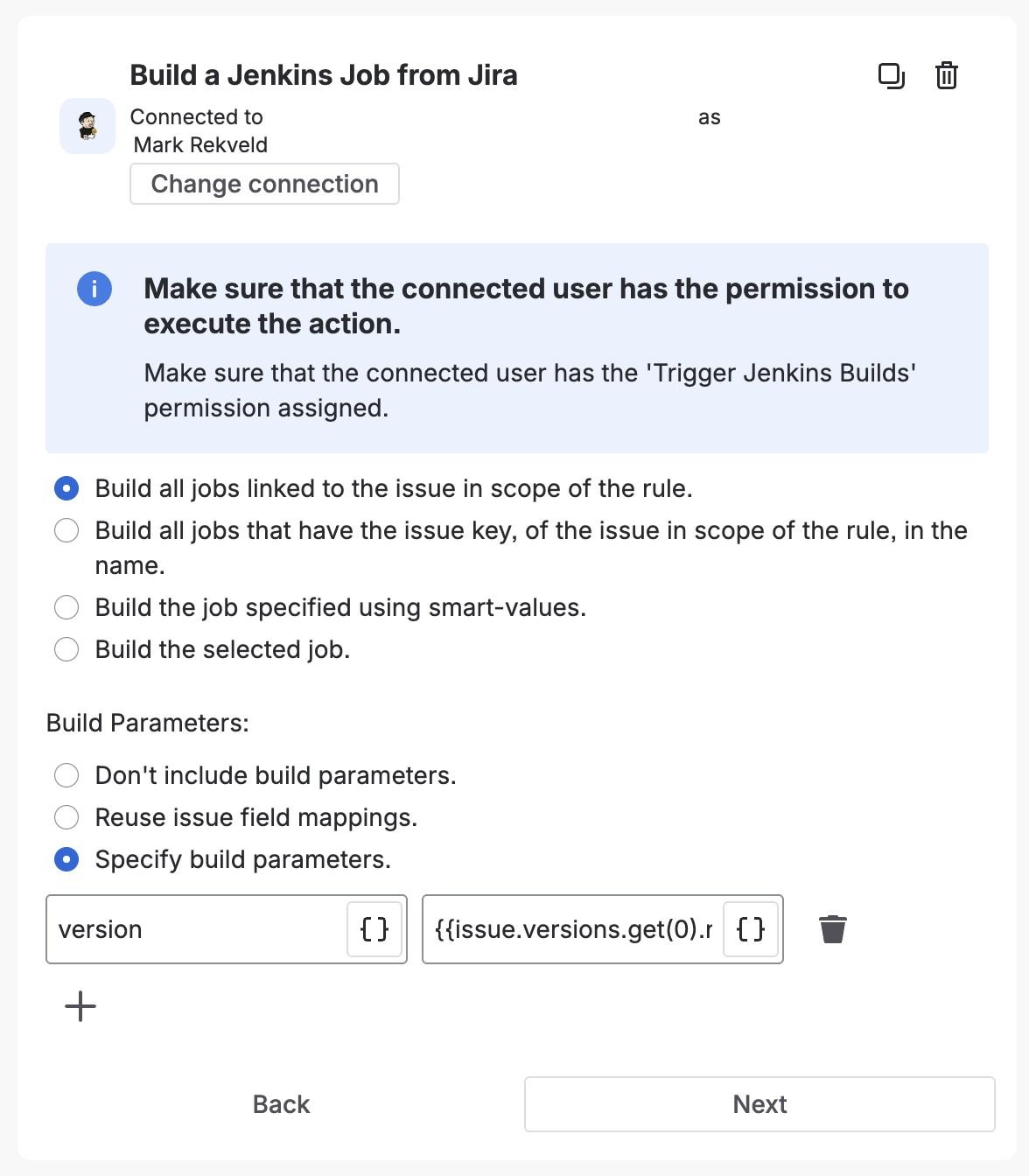
Build a Jenkins Job from Jira
Trigger a build of one or more Jenkins jobs. You can trigger a specific job, use smart-values to look up the job(s) to trigger, or trigger jobs related to the issue in the scope of the rule. Build parameters are also supported, either specify the specific parameters, this supports smart-values, or use the parameter issue fields feature.
- Use smart values here: Yes
- Required permission: Trigger Jenkins Builds
Previous: Triggers
Next: Webhook Automations