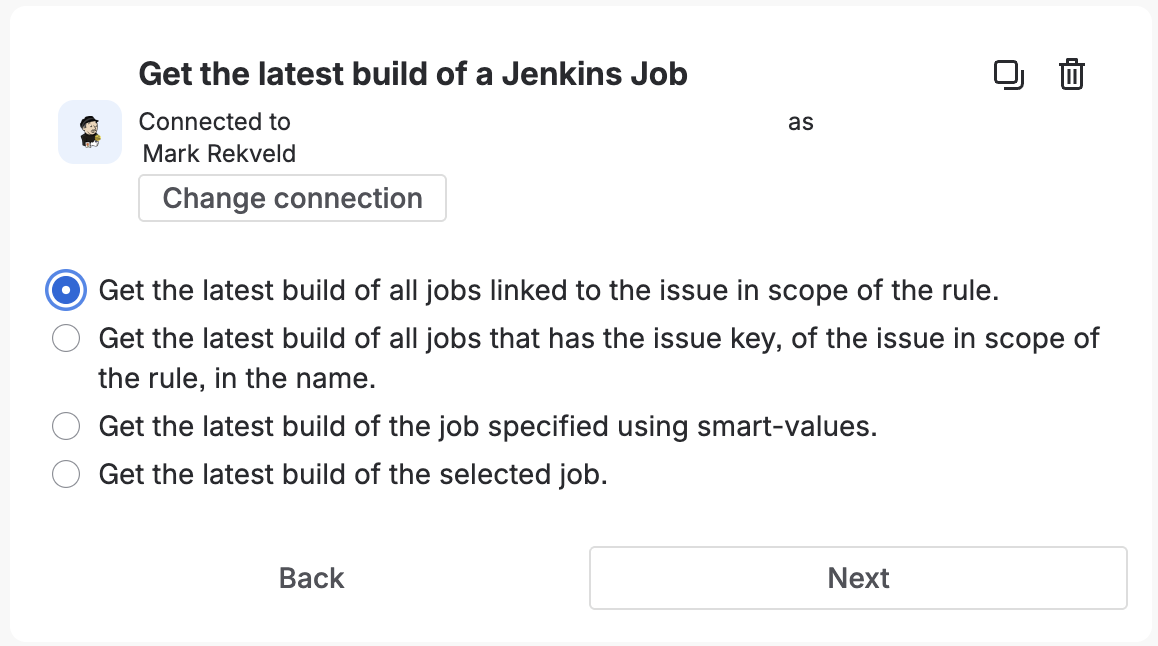
Get the latest build of one or more Jenkins jobs. You can get the latest build of a specific job, use smart-values to look up the job(s), or jobs related to the issue in the scope of the rule.
- Provides smart values: Yes
Smart Values
The {{fetchedJenkinsJobList.payload.body}} smart value is a reference to a list of builds that match the query, and providees the
following details:
{{build.id}} |
Prints the ID of the build. |
{{build.number}} |
Prints the build number. |
{{build.displayName}} |
Prints the display name of the build, defaults to {{build.job.displayName}} #{{build.number}} |
{{build.displayUrl}} |
Prints the URL of the build that can be used by users. |
{{build.description}} |
Prints the description of the build. |
{{build.cause}} |
Prints the cause of the build. |
{{build.result}} |
References the result type of the build. Known results include, from best to worst: SUCCESS, UNSTABLE, FAILURE, NOT_BUILT, ABORTED, UNKNOWN. |
{{build.builtOn}} |
Prints the name of the node where the build was executed on. |
{{build.duration}} |
Prints the duration of the build in milliseconds. |
{{build.formattedDuration}} |
Prints the formatted duration of the build, e.g. ‘2m 15s’ |
{{build.timestamp}} |
Prints the timestamp the build was scheduled in milliseconds since epoch, January 1, 1970, 00:00:00 GMT. |
{{build.buildDate}} |
References the java.util.Date reference to the timestamp when the build was scheduled. |
{{build.deleted}} |
Boolean value that indicates that the build is marked as deleted in the app. |
{{build.testResults.passed}} |
Prints the number of tests that passed. |
{{build.testResults.failed}} |
Prints the number of tests that failed. |
{{build.testResults.skipped}} |
Prints the number of tests that where skipped. |
{{build.testResults.total}} |
Prints the total number of tests that where part of the build. |
{{build.job.id}} |
Prints the ID of the job. |
{{build.job.name}} |
Prints the name of the job. |
{{build.job.fullName}} |
Prints the full name of the job. |
{{build.job.displayName}} |
Prints the display name of the job. |
{{build.job.description}} |
Prints the description of the job. |
{{build.job.displayUrl}} |
Prints the URL of the job that can be used by users. |
{{build.job.lastBuild}} |
Prints the number of the last known build. |
{{build.job.oldestBuild}} |
Prints the number of the first known build. |
{{build.job.linked}} |
Boolean value that indicates that the job is enabled for build-to-issue indexing. |
{{build.job.deleted}} |
Boolean value that indicates that the job is marked as deleted in the app. |
{{build.job.site.id}} |
Prints the ID of the site. |
{{build.job.site.name}} |
Prints the name of the site. |
{{build.job.site.type}} |
Prints the type of the site. |
{{build.job.site.connectionType}} |
Prints the connection type of the site. |
{{build.job.site.displayUrl}} |
Prints the URL of the site that can be used by users. |
{{build.job.site.enabld}} |
Boolean value that indicates the site is enable for processing. |
{{build.job.site.registrationComplete}} |
Boolean value that indicates the site registration processes is complete. |
{{build.job.site.jenkinsPluginInstalled}} |
Boolean value that indicates the site has the counterpart plugin installed. |
{{build.job.site.autoLinkNewJobs}} |
Boolean value that indicates the site will automatically enable new jobs. |
Next: Getting Started